8 Best Invoicing Apps for Contractors in 2026 (Free and Paid)

Ugo Charles
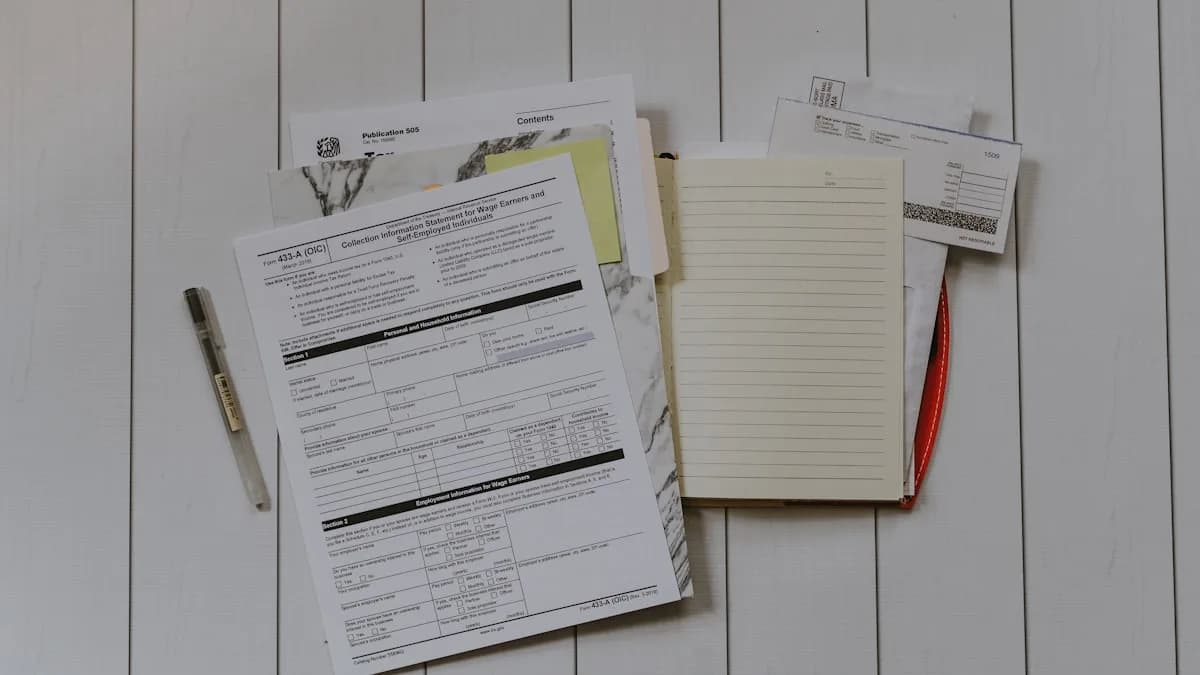
You finished the panel upgrade on Tuesday. The homeowner was happy, the inspection passed, and then the invoice sat in your head for nine days because you were on the next three jobs. By the time you sent it, the customer had half-forgotten the work and you were chasing a payment that should have landed the same afternoon. The work was never the problem. The billing was.
This is the gap the best invoicing app for contractors is supposed to close. Send the invoice from the driveway before you pull away, let the customer tap a card on their phone, and move on. For a handyman, an HVAC tech, or a small plumbing crew, the right app is the difference between getting paid Tuesday and getting paid three weeks late.
This post ranks eight invoicing apps for contractors and trades in 2026, from free phone-only tools to full field-service platforms that invoice as part of the job. Fieldtics is the pick for most small operators, and we will explain exactly why, but we will also tell you when a free standalone invoicing app is all you actually need. All prices are US list prices as of June 2026, pulled from each vendor's pages and current reviews. Verify the live number before you sign up, because this category changes pricing often.
Pure invoicing apps vs field-service tools that also invoice
Before the rankings, understand the split, because it decides which tool fits you.
Pure invoicing apps do one job well: turn a finished task into a bill and collect payment. Joist, Invoice Simple, Square Invoices, and Wave live here. They are cheap or free, fast to learn, and they stop at the invoice. They do not schedule your week or track which customer is due for a maintenance visit.
Field-service tools that also invoice treat the invoice as the last step of a job that started with a quote and a scheduled appointment. Fieldtics, Jobber, and Housecall Pro live here. You quote, you book, you do the work, and the invoice flows out of the job record without retyping anything. For a contractor running repeat customers and a calendar, that one-system flow is the real time-saver.
The honest question is not "which invoicing app is best" in a vacuum. It is whether you want a billing tool bolted onto the side of your business, or your scheduling, customer history, and invoicing in one place. That distinction drives the whole ranking below.
The best invoicing apps for contractors at a glance
Here is the short version. Starting price is the lowest published monthly US tier as of June 2026.
| App | Best for | Price | Free tier | payment-status tracking | Estimates | |---|---|---|---|---|---| | Fieldtics | Trades that schedule and invoice | Free, then $29/mo | Yes | Yes (Pro) | Yes (Pro) | | Joist | Construction and remodel quotes | Free, then ~$12/mo | Yes (limited) | Yes (paid) | Yes | | Invoice Simple | Solo handyman, phone-only billing | ~$5-20/mo | No (trial) | Yes | Yes | | Square Invoices | Free unlimited invoicing | Free | Yes | Yes | Yes | | Wave | Free invoicing plus bookkeeping | Free, then ~$19/mo | Yes | Yes (fee) | Yes | | FreshBooks | Time-billing service work | $23/mo | No (trial) | Yes | Yes | | QuickBooks | Accounting plus invoicing | ~$20/mo | No (trial) | Yes | Yes | | Jobber | Established crews on a budget | $39/mo (1 user) | No (trial) | Yes | Yes |
The spread runs from genuinely free to full-platform paid. Where you land depends on whether you only need to bill, or you need to run the whole job and bill at the end of it.
What actually matters in a contractor invoicing app
Cut the 40-feature checklist. For a small trade business, four things decide whether an invoicing app earns its keep.
- Mobile invoicing from the field. You bill from the truck or the driveway, not from an office you do not have. If you have to wait until you are home at a laptop, you will wait nine days like the panel-upgrade story above. If you just need to put a clean bill together right now, our free invoice generator builds and sends one in a couple of minutes.
- Online payments built in. A tap-to-pay card link on the invoice is the single biggest lever on how fast you get paid. An invoice the customer has to mail a check for is an invoice that ages.
- Estimate to invoice in one step. You quoted the job already. Retyping those line items into a fresh invoice is wasted time and a place for errors to creep in. The estimate should convert, and if you only need to send a quick quote first you can build one with our free estimate generator.
- Job and customer tracking. Knowing what you did for the Hendersons last spring, when their system is due again, and whether last month's invoice was paid is the part a pure billing app cannot give you.
The first two are table stakes. Every app on this list handles them. The last two are where field-service tools pull ahead of standalone invoicing apps, and where most of your real hours hide.
The test: count the steps between finishing a job and the customer being able to pay. If it is more than two taps, the app is costing you money in float.
The 8 best invoicing apps for contractors in 2026
These are ranked for owner-operators and small crews of one to twenty people, not for enterprises. The order reflects who fits the most small trade businesses, not who has the longest feature list.
1. Fieldtics (best overall for trades that schedule and invoice)
Fieldtics is built for the exact contractor who is tired of running billing in one app, a calendar in another, and customer notes in their phone: a 1-to-20 person field-service operation that wants scheduling, a customer CRM, and invoicing in one place.
It leads this list because the invoice is not a bolt-on. It is the end of a job that Fieldtics already tracked from the quote. The free tier is free forever and includes unlimited clients, job scheduling, the customer CRM, mobile-friendly web access, and email support, with no credit card required. When you need to bill, the $29/mo Professional plan adds quotes and estimates, invoices and payment-status tracking, team scheduling, and customer messages. That is a flat price with no per-user fee stacking up as you add a helper.
Who it is for: handymen, HVAC techs, plumbers, electricians, and any small crew that wants one predictable bill instead of three subscriptions. The invoicing and payment features live on the $29 Professional plan.
Pros: A real free tier, not a trial. Flat $29 paid pricing.
Cons: It is not a standalone invoicing-only app. If you genuinely only ever want to mail one invoice a month and never schedule anything, a free tool like Square does that one job for less commitment.
For HVAC specifically, the same logic is in our guide to the best field service management software for small business. For cleaning crews, the invoicing and payment apps for house cleaners covers that trade.
2. Joist (best for construction and remodel estimates)
Joist is built around the contractor estimate, with a layout made for line items, materials, labor, and job-site photos. If you bid remodels and renovations where the quote is half the work, Joist's estimating flow is genuinely good.
Pricing as of June 2026: the Starter plan is free but capped at roughly five estimates or invoices a month. Pro runs about $12 a month and Elite about $29 a month, which unlock online payments and more customization.
Pros: Strong contractor-style estimating with materials and labor breakdowns. A free entry tier for low-volume work.
Cons: The free tier's five-document cap is tight for anyone doing real volume. Joist is light on field-service features. There is no scheduling or dispatch like Fieldtics or Jobber, so it is an estimating-and-billing tool, not a way to run the week.
3. Invoice Simple (best for solo handyman, phone-only billing)
Invoice Simple does the most stripped-down version of the job: open the app, build an invoice on your phone in two minutes, send it, and see when the customer opens it. For a solo handyman who does not want software, that simplicity is the whole appeal.
Pricing as of June 2026: the Essential plan is about $5 a month for roughly three invoices, Plus is about $14 a month for around ten, and Premium runs about $20 a month for higher volume. There is a free trial but no lasting free tier.
Pros: Genuinely the fastest phone-first invoicing experience. Card and PayPal payments straight from the invoice.
Cons: The cheap tiers cap how many invoices you can send, which catches people off guard. No scheduling, no job tracking, no customer history. It bills and nothing else, so you outgrow it the moment you want to run a calendar.
4. Square Invoices (best free unlimited invoicing)
Square Invoices is the strongest truly free option for a solo contractor who only needs to bill. Unlimited invoices, unlimited estimates, and contracts on the free plan, and you pay only the per-transaction processing fee when a customer pays by card.
Pricing as of June 2026: the free plan covers unlimited invoices and estimates. Paid Plus and Premium tiers add automation and reporting. You pay standard Square card-processing fees on payments.
Pros: Free with no invoice cap, which beats Joist's free tier on volume. Accepts cards, ACH, Apple Pay, and Google Pay. Ties into Square's point-of-sale if you also sell over a counter.
Cons: Almost no field-service depth. You get a customer list and an item catalog, but no scheduling, dispatch, or job history. It is a billing tool, full stop.
5. Wave (best free invoicing plus basic bookkeeping)
Wave pairs free unlimited invoicing with real accounting, so a budget-conscious solo trade can keep the books and send invoices in one free tool. If you want bookkeeping without paying for QuickBooks yet, Wave is the move.
Pricing as of June 2026: the Starter plan is free with unlimited invoices and estimates. Wave Pro runs about $19 a month or $190 a year, adding automated reminders, bank-transaction imports, and lower card fees.
Pros: Free invoicing and genuine bookkeeping in one place. Unlimited estimates that convert to invoices.
Cons: It is accounting-first, not field-first. The mobile experience leans on the browser, and there is no scheduling or dispatch. For a tech who lives in the truck, the workflow is clunkier than a purpose-built field app.
6. FreshBooks (best for time-billed service work)
FreshBooks is built for service businesses that bill by the hour and want clean invoicing with time tracking attached. For a contractor who does consulting-style or time-and-materials work, the time-to-invoice flow is smooth.
Pricing as of June 2026: the Lite plan is $23 a month and covers up to five billable clients, with higher tiers for more. All plans include unlimited invoices and estimates within the client limit. There is a trial but no free tier.
Pros: Polished invoicing with built-in time tracking and online card payments. Easy for non-accountants.
Cons: The five-client cap on Lite is restrictive for a contractor with a steady book of customers. No scheduling, dispatch, or routing, so it is a billing-and-time tool, not a field platform.
7. QuickBooks Online (best for accounting plus invoicing)
QuickBooks is the accounting standard, and its invoicing is capable: mobile invoices, recurring billing, automatic reminders, and integrated payments. If your bookkeeper already lives in QuickBooks, keeping invoicing there keeps tax time simple.
Pricing as of June 2026: plans start around $20 a month and climb with features. There is a trial but no free tier.
Pros: Full small-business accounting plus invoicing in one system. Best-in-class for tax readiness and working with an accountant.
Cons: It is accounting software first. Field work like dispatch and technician routing is not there. For a trade that wants to run jobs, not just file them, QuickBooks is half the picture and you will bolt a field tool onto it anyway.
8. Jobber (best for established crews willing to pay)
Jobber is a full field-service platform, like Fieldtics, where quotes flow to scheduled jobs and then to invoices. It is polished and the client-communication tools are among the best in the category. It earns its spot, with one caveat: the price.
Pricing as of June 2026: the Core plan is $39 a month for one user, and adding even one employee pushes you onto Teams plans starting around $169 a month, with extra users at about $29 a month each. There is no permanent free tier, only a trial. Card payments run the standard 2.9% plus $0.30 per transaction.
Pros: Excellent quoting, scheduling, and client hub. Invoices convert directly from completed jobs.
Cons: The per-user pricing bends sharply the moment you hire. For the same job-to-invoice flow without the per-user tax, Fieldtics is the cheaper path. We break the cost curve down in our Jobber pricing guide and the full list of Jobber alternatives.
Invoicing apps by trade: handyman, HVAC, and construction
The right pick shifts a little by trade, because the work shapes the billing.
Invoicing app for handyman work. A solo handyman doing varied small jobs wants speed above all. Square Invoices free or Invoice Simple covers pure billing, but the moment you start booking repeat customers and want to remember what you did last visit, a tool with a CRM wins. Fieldtics free gives you that customer history plus scheduling, and the $29 Professional plan adds connected quotes, invoices, and payment-status tracking. Use a separate processor for card payments. The handyman business software page covers the full workflow.
Invoicing app for HVAC. HVAC billing is rarely one-and-done. There are maintenance agreements, multi-visit installs, and seasonal callbacks, so a customer record that tracks the equipment and the service history matters as much as the invoice itself. A pure invoicing app forgets all of that the second you hit send. A field-service tool that invoices keeps the job, the quote, and the bill on one customer.
Invoicing app for construction. For bid-heavy construction and remodel work, the estimate is the heavy lifting, which is why Joist earns its place. If your jobs are quote-to-invoice with detailed line items and you do not need a daily schedule, Joist's estimating is purpose-built. Once you are juggling multiple crews and a calendar, the one-system field-service approach pulls ahead.
How to choose the right invoicing app
The decision comes down to three questions you can answer in five minutes.
- Do you only bill, or do you also schedule? If you genuinely only send invoices and never run a calendar, a free pure-invoicing app like Square or Wave does that one job at zero cost. If you book jobs and track repeat customers, a field-service tool that invoices saves you the most time.
- How fast do you need to get paid? If late payment is your pain, prioritize one-tap payment-status tracking on a mobile invoice. Every app here has it, so this question is really about removing the steps between finishing and getting paid.
- Will you add a helper? If you will hire, avoid per-user pricing that punishes growth. Fieldtics has no per-user fee on its plans, which keeps the bill flat as the crew grows, unlike Jobber's Teams plans.
For most small trade businesses, those three questions land on the same answer: a tool that handles the whole job and bills at the end of it, at a flat price. That is the one at the top of this list.
Frequently asked questions
What is the best free invoicing app for contractors?
For pure billing with no monthly fee, Square Invoices is the best free invoicing app, with unlimited invoices and estimates and pay-as-you-go card processing. Wave is the best free option if you also want basic bookkeeping. But if you want a free tool that also schedules jobs and tracks customers, Fieldtics' free tier covers unlimited clients, scheduling, and the CRM at no cost, with invoices and payment-status tracking on the $29/mo Professional plan when you need them.
What app do contractors use to send invoices?
Contractors use a mix of pure invoicing apps and full field-service platforms. Solo operators often reach for Square Invoices, Invoice Simple, or Joist for fast mobile billing. Crews that also schedule jobs and track customers use field-service tools like Fieldtics, Jobber, or Housecall Pro, where the invoice flows out of the completed job instead of being typed fresh. The split comes down to whether you only bill or you run a calendar.
What is the best invoicing app for a handyman?
For a solo handyman who only needs to bill, Square Invoices free or Invoice Simple is the fastest phone-based option. For a handyman building a book of repeat customers who wants job history and scheduling alongside invoicing, Fieldtics is the stronger pick, with a free tier for clients and scheduling and a $29/mo Professional plan that adds invoicing and payment-status tracking.
Is QuickBooks good for contractor invoicing?
QuickBooks Online is good if you want accounting and invoicing in one system and already work with an accountant who uses it, starting around $20 a month as of June 2026. It handles mobile invoicing, recurring bills, and payments well. What it does not do is field work like scheduling, dispatch, or technician routing, so most contractors who use QuickBooks pair it with a separate field-service tool for the rest of the job.
Getting paid faster is rarely about the invoice template. It is about closing the gap between finishing the work and the customer being able to pay, and the cleanest way to close that gap is to never let the invoice leave the job in the first place. Quote it, schedule it, do it, bill it, all on one customer record, and the nine-day delay from the start of this post stops happening.
Start on the Fieldtics free tier and run next week's real jobs through it. Unlimited clients, scheduling, and the CRM cost nothing, and the $29/mo Professional plan adds quotes, invoices, and payment-status tracking when you are ready to connect billing to the job.


