Best Software for Cleaning Businesses in 2026 (Free and Paid)

Ugo Charles
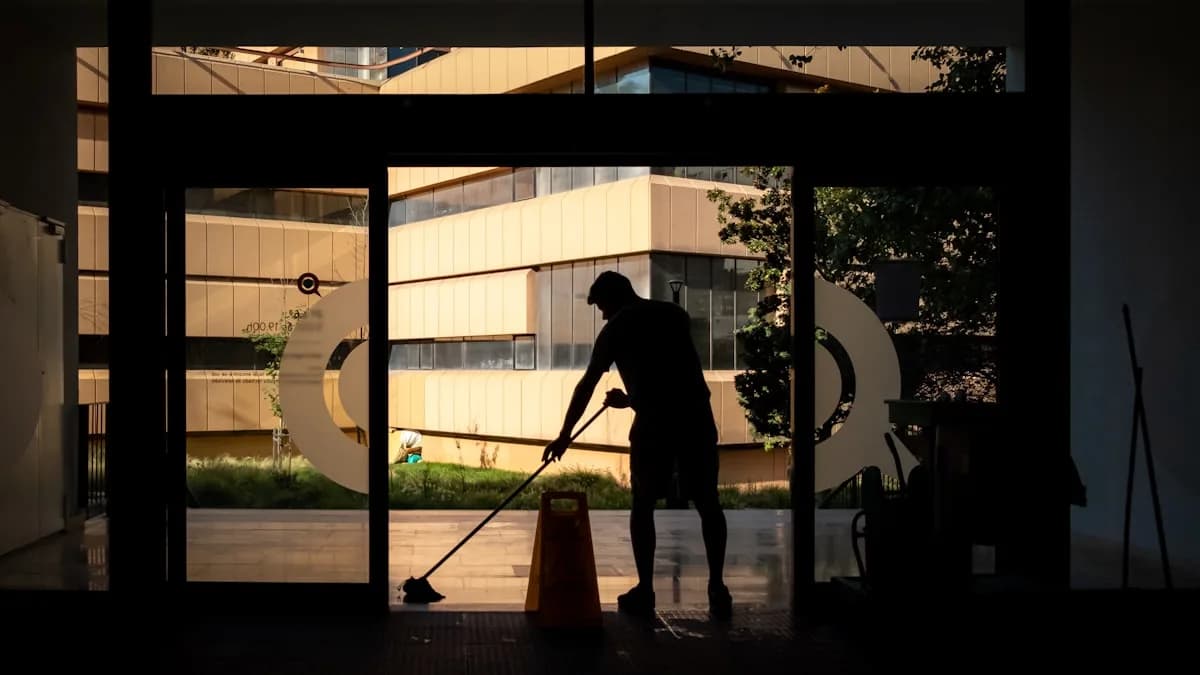
The notebook works for a while. You write the Garcias on Tuesday, the Wilsons on Friday, jot the invoice total in the margin, and circle the ones you still need to collect on. Then you hire a second cleaner, pick up eight more recurring clients, and one Thursday you realize you sent two people to the same house and forgot to bill a deep clean from last week. That is the moment a cleaning business stops being something you can run from a notebook and starts needing real software.
The trouble is that "best cleaning business software" returns a wall of tools that all claim to do everything. Some are scheduling apps wearing a CRM hat. Some are invoicing tools that cannot hold a recurring calendar. A few are genuinely built for the way a cleaning business runs, and a couple are free enough to start today.
This is the broad round-up: the best all-around software for a cleaning business in 2026, covering scheduling, invoicing, payments, the client CRM, and team dispatch in one place. Fieldtics is our top pick, and its core is free, so we start there and then walk through the named alternatives honestly. All prices are list prices in USD as of June 2026, pulled from each vendor's pages and current reviews. Confirm the live number before you sign up, because field-service pricing moves often.
Last updated: June 2026.
What a cleaning business actually needs from software
Most general business apps miss what makes cleaning work different. Before you compare tools, get clear on the five jobs the software has to do.
Recurring scheduling is the foundation. Weekly, biweekly, and monthly cleans are the whole business. The tool has to set a recurring job once and generate every future visit, including the every-other-Tuesday rhythm that a plain calendar handles badly. If recurring jobs are clumsy, nothing else matters.
Team dispatch the moment you hire. With two or three cleaners, every job needs an owner. Who has the Wilsons' keys, who is closest to the move-out clean, who sees only their own day. A good tool assigns jobs to a specific cleaner and keeps each person's view clean.
Invoicing and payments that go out same day. A handwritten total or a Venmo request after a $300 job reads as amateur and gets paid late. You want a professional invoice the customer can pay by card from their phone, ideally fired off the moment the job is marked done.
A client CRM that remembers the details. Gate codes, dog names, "skip the home office," last visit, the products they are allergic to. A cleaning business lives on these notes, and they need to sit on the client record where any cleaner can pull them up.
Client booking and reminders. A booking link turns a three-text back-and-forth into a job that appears on your calendar. And a reminder the day before is the single cheapest no-show insurance there is.
If you are still weighing categories rather than specific tools, our field service management software comparison breaks the market into all-in-one, scheduling-only, invoicing-only, and DIY setups. This post names and ranks the actual tools.
The best cleaning business software at a glance
Here is the short version before the detail. Starting prices are the lowest published monthly tier in USD as of June 2026.
| Tool | Best for | Price (from) | Free tier | Recurring jobs | Invoicing | |---|---|---|---|---|---| | Fieldtics | Solo to small crews wanting one free tool | Free, Pro $29/mo | Yes, real | Yes | Yes (Pro) | | Jobber | Crews wanting a broad polished system | ~$39/mo | Trial only | Yes | Yes | | Housecall Pro | Cleaners who want marketing built in | ~$79/mo | Trial only | Yes | Yes | | ZenMaid | Maid services built on recurring cleans | ~$19/mo | Trial only | Yes | Yes | | Launch27 / BookingKoala | Booking-first online operations | ~$27/mo | Trial only | Yes | Yes | | Connecteam | Hourly crews needing time tracking | Free up to 10 | Yes, up to 10 | Limited | No |
The pattern worth noticing: most cleaning-specific tools give you a free trial, not a free plan. Only two on this list have a genuine free tier you can run a business on, and one of them does not do invoicing. We will get to why that matters.
1. Fieldtics (best overall for cleaning businesses)
Fieldtics is field service management software built for small service businesses, and cleaning is one of its core trades. It is our top pick because it covers all five jobs above in one app, and the core of it is genuinely free, not a 14-day countdown.
The free tier includes unlimited clients, job scheduling, a customer CRM, the mobile app, and email support, with no credit card required. For a solo cleaner or a one-to-two-person operation, that runs the whole front end of the business. You set up recurring cleans, drag a job to a new slot when Thursday cancels, and pull a client's gate code and last-visit notes before you knock.
When you are ready to manage quotes and invoices in the platform and manage a crew, the Professional plan is a flat $29 a month. It adds quotes and estimates, invoices and payment-status tracking, team scheduling, and customer messages. That is the same $29 whether you have two cleaners or ten, with no per-user fee waiting to ambush you when you hire, which is the single thing that drives most owners off the bigger tools.
Who it is for: solo cleaners and small crews who want one predictable bill and a mobile app the cleaners will actually open, instead of a base plan plus four add-ons.
Pros:
- A real free tier with unlimited clients, recurring scheduling, CRM, and mobile-friendly web access
- Flat $29 Professional pricing with no per-user creep as you grow
- Recurring jobs, automated reminders, and same-day invoicing in one place
Cons: It is a general field-service platform, not a maid-only tool, so it does not ship with cleaning-industry templates the way ZenMaid does. If you want recurring-cleaning automations like cleaner-pay tracking baked in out of the box, that specialization lives elsewhere.
If you are just getting set up, our guide on how to start a cleaning business covers licensing and first clients before software enters the picture.
2. Jobber (broad and polished, if you can absorb the team jump)
Jobber is a well-known field-service platform with strong scheduling, quoting, client messaging, and online payments. It handles cleaning fine, and it is genuinely easy to learn for someone who is not a software person. The catch for a cleaning business is the pricing curve once you add staff.
Pricing as of June 2026: the Core plan starts around $39 a month for a single user, but adding one employee moves you to a team plan, which jumps to roughly $169 to $199 a month for up to five users depending on billing. Several common features, including the marketing suite and the AI receptionist, are paid add-ons on lower tiers. There is no permanent free plan, only a trial.
Who it is for: cleaning crews that want a polished, broad system and have the revenue to absorb the team-plan jump.
Pros: excellent quoting and client communication, easy setup, strong online payments.
Cons: the per-user math is the whole story for a small crew. Going from $39 to nearly $170 to add one cleaner is a steep curve, and the add-on menu pushes the real bill higher. If you want the full comparison, we cover Jobber alternatives for small service businesses in depth.
3. Housecall Pro (best if marketing is core to how you get work)
Housecall Pro is another established home-service platform with solid scheduling, job management, and dispatch. Its real differentiator is built-in marketing, like email campaigns and automated review requests, which some cleaning owners lean on hard to fill the calendar.
Pricing as of June 2026: the Basic tier starts around $79 a month, with the Essentials tier most businesses actually need landing closer to $149 to $189 a month. There is no permanent free plan, only a trial.
Who it is for: cleaning businesses that want scheduling and marketing in one tool and are past the budget-shopping stage.
Pros: strong built-in marketing and review collection, capable scheduling and dispatch.
Cons: you are paying a premium that is hard to justify if all you need is a recurring calendar, invoicing, and reminders. For most small cleaning operations, the marketing features are nice-to-have, not a reason to spend $79-plus a month. There is also no built-in route optimization at any tier.
4. ZenMaid (best cleaning-specific option for recurring work)
ZenMaid is the one tool here built specifically for maid and house-cleaning services, and it shows. Its scheduling is centered on recurring cleans, which is exactly the rhythm the business runs on, and it includes automations for cleaner-pay tracking and client follow-ups that a general platform does not ship with.
Pricing as of June 2026: starts around $19 a month per ZenMaid's own comparison materials. There is a free trial but no permanent free plan, so you are paying from month one once the trial ends.
Who it is for: established maid services that want cleaning-native workflows and do not mind paying for that focus.
Pros: the most cleaning-specific pick on this list, with recurring-clean automations and cleaner-pay tracking baked in. Lower tiers include automated texts and booking forms.
Cons: it is narrower than a general field-service platform. If you ever branch into one-off commercial jobs, carpet cleaning, or other services, you may outgrow its lane. There is no free plan to grow into. If you are weighing it as your main tool, our full ZenMaid review digs into where its maid-service focus pays off and where it falls short.
5. Launch27 and BookingKoala (best for online self-booking)
These two are grouped because they share a focus: online booking. Both are built so a new client lands on your website, picks a service and an open time, and books themselves without calling you. For a cleaning business that markets online and wants hands-free bookings, that is the draw.
Pricing as of June 2026: BookingKoala starts around $27 a month, though several advanced features sit behind a much higher Premium tier cited around $197 a month on ZenMaid's comparison page. Launch27 is booking-first with a built-in calendar for open slots. Both offer free trials, not permanent free plans.
Who it is for: cleaning businesses where online self-booking is the priority and most new clients arrive through a website funnel.
Pros: strong customer-facing booking forms, good for capturing one-time and recurring bookings without phone tag.
Cons: if your business runs mostly on recurring clients you already have and word-of-mouth referrals, the booking-first angle solves a problem you may not have yet. You are better served by a tool that nails recurring scheduling and invoicing first.
6. Connecteam (free for hourly crews, weak on recurring jobs)
Connecteam is not a cleaning-specific tool, but it earns a spot for one reason: it has a genuine free plan, and it is built for hourly, deskless teams, which is exactly what a cleaning crew is.
Pricing as of June 2026: the Small Business Plan is free for life for up to 10 users with full feature access, per Connecteam's pricing page. Paid plans for larger teams start around $29 a month for up to 30 users.
Who it is for: cleaning crews of up to 10 who want employee scheduling tied to time tracking and team chat, and who handle invoicing somewhere else.
Pros: real free tier for up to 10 staff, strong shift scheduling and built-in time tracking, good if you pay cleaners hourly.
Cons: it is built around employee shifts, not client-based recurring jobs, so the per-client recurring-visit workflow is weaker than Fieldtics or ZenMaid. It also does not handle client invoicing. If your problem is "where are my cleaners and how many hours did they work," it fits. If it is "manage 80 recurring residential clients and bill them," it does not.
How to choose, by where your business is today
The right pick depends less on the feature list and more on your size and how clients reach you.
Solo or you and one helper. Start with Fieldtics free. Recurring jobs, the client CRM, reminders, and mobile-friendly web access cost nothing, and you can prove the tool works before spending a dollar. There is no reason to pay for software at this stage.
A crew of two to ten cleaners. You need team dispatch and invoicing in one place. Fieldtics cleaning business software on the Professional tier at $29 a month covers team scheduling, invoicing, and payments at a flat rate regardless of headcount, which beats the per-user math on Jobber and Housecall Pro.
A maid service built entirely on recurring residential cleans. ZenMaid's cleaning-specific automations may be worth the $19 a month if you want a tool purpose-built for that exact workflow and do not plan to branch out.
Most new clients book online. Look at Launch27 or BookingKoala for self-booking, but confirm the recurring-scheduling and invoicing side is strong enough before you commit.
Tip: before you switch anything, run one full week of real jobs through a free tier alongside your current setup. You will know within days whether your cleaners will actually use it, which is the only test that matters.
Once the schedule is running smoothly, getting your house cleaning rates per hour right is the next lever on profit. A free house cleaning cost calculator gets you a defensible quote in a minute, and the best scheduling app round-up goes deeper on the calendar side alone.
Frequently asked questions
What is the best software for a cleaning business?
For most cleaning businesses in 2026, Fieldtics is the best all-around software because it covers recurring scheduling, the client CRM, team dispatch, invoicing, and payment-status tracking in one app, and the core is free. ZenMaid is the most cleaning-specific option if your business runs entirely on recurring residential cleans. Jobber and Housecall Pro are broader, more polished platforms that handle cleaning well but cost more, especially once you add team members.
Is there free cleaning business software?
Yes. Fieldtics has a genuine free tier with unlimited clients, recurring job scheduling, a client CRM, automated reminders, and mobile-friendly web access, with no credit card required. Connecteam is also free for up to 10 users but is built around employee shifts and does not handle client invoicing. Most cleaning-specific tools like ZenMaid, plus Jobber and Housecall Pro, offer only a free trial, not a permanent free plan.
What app do cleaning companies use?
Cleaning companies commonly use Fieldtics, ZenMaid, Jobber, and Housecall Pro. Fieldtics is a strong default because scheduling and the CRM are free and built around recurring clients, with invoicing on the $29 a month plan. Beyond the core platform, our roundup of the best apps to run a cleaning business covers the payments, time-tracking, and marketing tools owners bolt on around it. ZenMaid is the most cleaning-native, built for maid services. Jobber and Housecall Pro are full field-service platforms that handle cleaning but get expensive as you add cleaners.
Do I need cleaning-specific software, or is general field-service software fine?
General field-service software is fine for most cleaning businesses and usually a better value. The core jobs, recurring scheduling, client notes, dispatch, and invoicing, are the same whether the tool is maid-specific or built for all trades. Cleaning-specific tools like ZenMaid add niche automations such as cleaner-pay tracking, which matter if your whole operation is recurring residential cleans. If you run mixed jobs or want a free tier, a general platform like Fieldtics fits better.
A cleaning business has five moving parts that the notebook eventually drops: the recurring calendar, the crew assignments, the client details, the invoices, and the reminders that keep no-shows off your week. The tool that holds all five without charging you per cleaner is the one that pays for itself the fastest, usually before the first month is out.
Start on the Fieldtics free tier and run next week's real cleans through it. Unlimited clients, recurring scheduling, the CRM, and mobile-friendly web access cost nothing, and you will know in a few days whether it fits, which is more than any comparison table can tell you.


